Posted in Internship, Programming, Python

Creating an ML Model and Serving it as a RESTful API: Part 1

I started my internship at a local company that focuses on Data Science and Machine Learning and as part of my training, I was tasked to create a simple Iris Classification model that identifies the type of Iris category (Versicolor, Virginica and Setosa) based on the given petal and sepal width and length. Being someone who has minimal Machine Learning background, I needed a lot of research and reading in order to arrive at the required output, but it was all worth it.

In this post, I will be sharing the steps I did to create an Iris Classification model using Python and serve it through Flask RESTful API. I have also created a simple PHP interface that connects to the API to demonstrate its usage.

Model Creation 🤖

In Machine Learning, a model is trained using a set of data to recognize certain patterns. Python’s open-source Machine Learning library, Sci-Kit Learn, provides model training for supervised and unsupervised learning. It is simple to use and it has a lot of tutorials to get started with.

First, install Sci-Kit library using pip:

pip install -U scikit-learn

Once the installation is finished, create a file called `model.py` where Sci-Kit Learn’s already made Iris dataset can be used:

from sklearn import datasets
iris = datasets.load_iris()

*Note: You can use your own dataset but it needs to be preprocessed and formatted for Sci-Kit Learn to understand and train the model as efficiently as possible.

Next, the datasets are separated into data and target. Data consists of petal and sepal width and length in centimetres, while the target, or the label, is the class to predict. For the Iris classification, the target consists of Versicolor, Virginica and Setosa.

iris_data = iris.data
iris_target = iris.target

Before training the model, the data and target are split again so that the other half is used for the actual model training while the other is used for verifying the model (in other terms, testing the model’s accuracy).

This can be achieved using train_test_split:

from sklearn.model_selection import train_test_split
iris_data_train, iris_data_test, iris_target_train, iris_target_test = train_test_split(iris_data, iris_target, test_size = .5)

The test_size parameter specifies the size of the testing datasets.

Now, we can start building the model. There are many classification algorithms that can be used for this model, but I settled on K-Nearest Neighbors as the accuracy score is much higher.

from sklearn import neighbors
classifier = neighbors.KNeighborsClassifier()

From this, we can start training the model:

classifier.fit(iris_data_train, iris_target_train)

And there we have it! We have a trained Iris classification model. We can print the accuracy level of the model using accuracy_score:

from sklearn.metrics import accuracy_score
predict_iris = classifier.predict(iris_data_test)
print(accuracy_score(iris_target_test, predict_iris))
From the above, the model has an accuracy score of 97%! Great!

Creating Flask API ⚙️


Before we create the Flask API, the model needs to be serialized using a Python library called Pickle. By “pickling” a python code, it is converted into a byte stream for it to be easily sent over the network or saved on disk. “Unpickling” is the opposite, where it converts the python file into its original state.

Pickle can be installed using pip:

pip install pickle-mixin

Our Iris classification model can be “pickled” or serialized using the following code:

import pickle
pickle.dump(classifier, open(“iris_model”, “wb”))

This creates the iris_model file. If you try to open it, it will show indecipherable characters.

Now that we have our model pickled, we can now start with the Flask API!

Like the rest of the Python libraries, we install flask as well:

pip install flask

We then create our main app file called `app.py`. Inside, we import the libraries required for our Flask API:

from flask import Flask, jsonify
from flask_restful import reqparse, abort, Api, Resource
app = Flask(__name__)
api = Api(app)

Our Iris Classification model is then loaded and “unpickled”:

import pickle
loaded_model = pickle.load(open(“iris_model”, ‘rb’))

When we create the front-end interface later, we need a way to send over the user input to the Iris classification Flask API. In order to do that, we create parameters to the URL and we pass the user input there. The inputs we need are the petal and sepal width and length, and from this information, the model predicts what type of Iris flower we are referring to.

We create the parameters using the following code:

parser = reqparse.RequestParser()
parser.add_argument(‘slength’)
parser.add_argument(‘swidth’)
parser.add_argument(‘plength’)
parser.add_argument(‘pwidth’)

Once the queries are set, we need to call the model to predict the Iris type based on the given inputs. We then create a class called `requestIris` that takes the URL parameter values then insert it to the model for prediction. The predictions will come into integer format, so 0 is setosa, 1 is versicolor, and 2 is virginica. Also, note that the data returned should be in JSON format.

The full code is stated below:

class requestIris(Resource):
def get(self):
args = parser.parse_args()
slength= args[‘slength’]
swidth = args[“swidth”]
plength = args[“plength”]
pwidth = args[“pwidth”]
prediction = (loaded_model.predict([[slength, swidth, plength, pwidth]])).tolist()
if(prediction[0] == 0):
type=”setosa”
elif(prediction[0] == 1):
type=”versicolor”
else:
type=”virginica”
serve_model = {“Iris Type”:type}
print(serve_model)
return jsonify(serve_model)

We then add the resource to our API, and create a route for the resource:

api.add_resource(requestIris, ‘/classify’)

Last but not least, we add the code to run our Flask application:

if __name__ == ‘__main__’:
app.run()

Hurray! We have our Iris Classification API now!

The API can be run locally or published to Heroku. I published mine here:

https://iris-classification-model.herokuapp.com/

In the next post, I will be writing about the PHP frontend interface to demonstrate the API’s application. Stay tuned!

Posted in Competitions, Programming, ramblings

Wrapping Up Google Code-In 2019

At last, exams are over! Now I have at least a week before my school starts sending out our overall results (and see how “well” we did for this semester). Hopefully I won’t be retaking any subjects.

Anyhow…I finally received all the promised packages of alternative prizes from Google (about time). On my previous post last 4 months ago, after my supposed trip to Google got cancelled because of the virus, Google then arranged to give the winners alternative prizes instead, which include cash and swags. And so, after months of waiting, all the long-awaited packages are finally here at my doorstep, fresh from America.

The “Alternative” for the Trip

Ever since the winners received the cancellation email, Google informed us that they will be sending out alternative prizes instead. I guess this temporarily pacified our broken hearts, as we wait in anticipation what those prizes could be. When I did receive the details of the alternative prize, I must say that I had a so-so feeling about it. It’s not bad, but it doesn’t really replace the lost trip (I mean, what would?). It did, however, gave me another thing to look forward to, plus, in an attempt to cheer myself up, I made myself think that not all 17-year olds receive this kind of stuffs, especially in a time like this.

And so, from April till August, are the packages delivery months. This was my “please-don’t-get-my-package-lost-it’s-all-I-have-now” kind of phase.

Coronavirus played another part in delivering the packages (obviously). It’s the reason why it took months to deliver the items, and why I’m referring to “packages” (plural), and not “package” (singular). The packages (three in all), are delivered separately as there was some problems with delivery here and there. Also, we were supposed to be given a new phone as one of the alternative prizes, but since there is a very high possibility that it will not be delivered as planned, they decided to exchange it with the phone’s money value instead. Oh well, I guess what can go wrong, will go wrong.

Way to go, Coronavirus.

Finally, after months of waiting 😀

Although I like all the swags delivered, my favourites are the thermos, fleece and trophy. My old water bottle is getting its paint chipped off, and it’s about time I have my own thermos. Meanwhile, the fleece is so comfy for wear! I would wear it at home if it weren’t this hot. I guess I’ll just use it for school during long hours of lecture in a freezing classroom.

Lastly, the trophy! It’s my first time having a trophy instead of the usual certificate or rusting medals. The first time the trophy was displayed, I often stare back at it, just to observe it (and probably reminisce the past days on how I earned it).

Google Code-In Trophy!

Googler Speaker Sessions: Another Alternative Prize

Aside from the alternative prizes, we were also given a two-day virtual seminar from Googlers. The topics for the talk include open source, internship, augmented reality, Android, and more. Although I have to stay awake from 11pm to 3am because of time zones, the talks had been interesting, with internship, augmented reality and TensorFlow being my favourite.

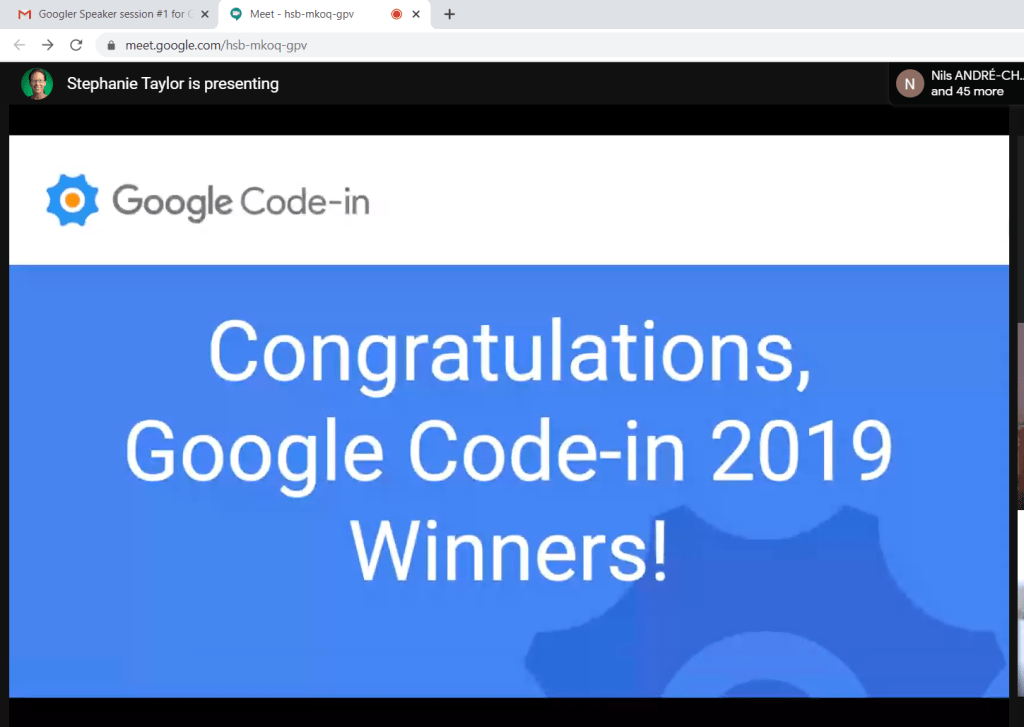
Google Code-In Winners’ Virtual Seminar Opening
Google Code-In 2019 Statistics. This was the highest number of participants compared to previous years

On the actual trip, we were supposed to have a “day at Google” as part of our agenda, where we get to listen to Googler’s work experience and what other opportunities we can get. I guess this is the only part of the trip that they can recreate.

The talk had been fun, as aside from it being aligned with my interests, me and my fellow Grand Prize Winners finally had a face and voice reveal and we were also chatting in Telegram during the talk. On the last day of the talk, there was a section for volunteered winners to make a speech. It had been a rather sad part of the talk, as it felt like we were “parting ways” (and I guess it reminded us again that we should’ve been speaking in an air-conditioned, Google hall or something).

During Augmented Reality Talk
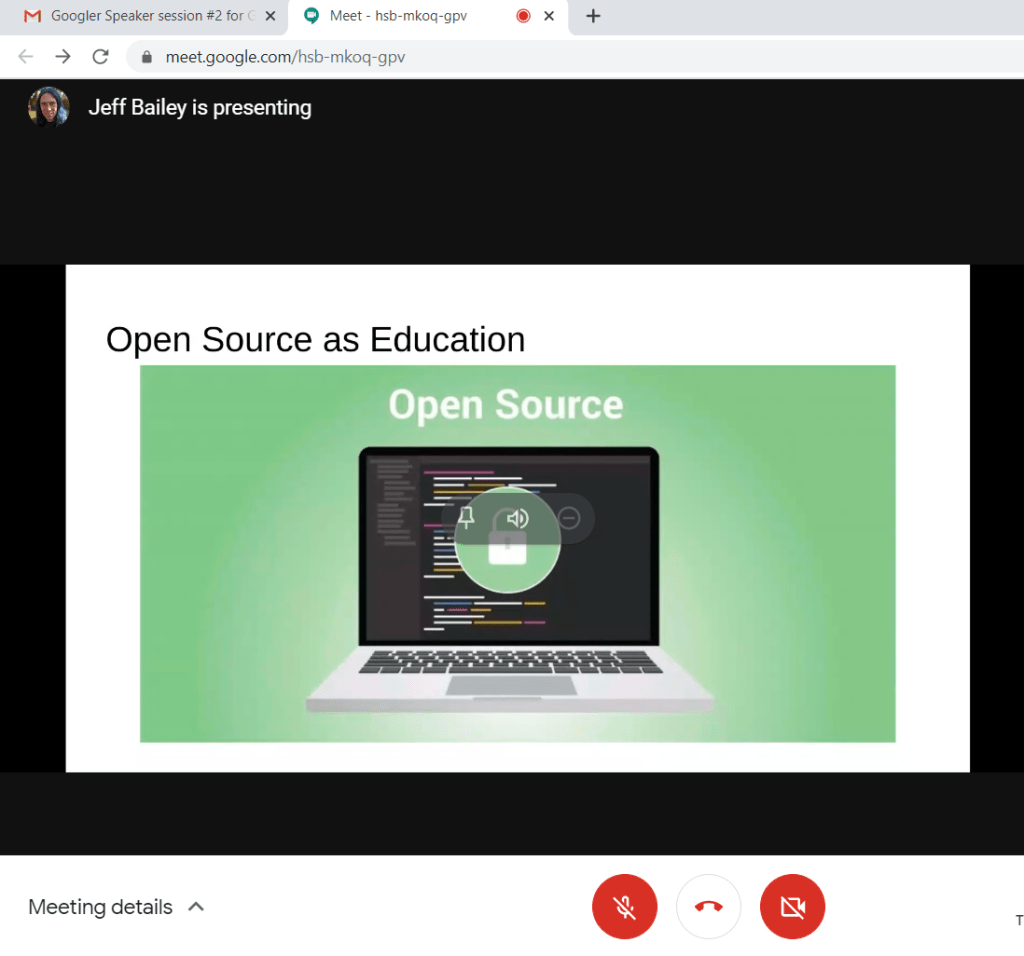
Android + Open Source Talk

This wraps up the whole Google Code-In business. It had been fun and sad at the same time, but I don’t regret being a part of it. After all, the contest had officially ended on January 2020 (which means, this is the last Google Code-In contest), and I am blessed to be announced as a winner even if it didn’t go as I imagined it.

Besides, there are other ways to go to Google 😉

Posted in Competitions, Programming

Helpful Advice to Google Code-In Future Participants

Google Code-in was in it’s 10th year in 2019 and had been epic in every regard, no doubt about that. It was unlike any other GCI competition I had before for the reasons that, first, I finally won as a Grand Prize Winner! Yay! . . . Second, it was the first GCI where Google had cancelled the US Trip for winners. Yay again! ( You can read about this here from my previous post )

Despite of that, I still want to encourage teenagers ages 13-17 to participate in Google Code-in. It could be a fun and wonderful experience where you will not just be introduce to the world of Open Source but you will also get to talk to fellow developers and most importantly will be able to contribute to something that could help people.

It took me 3 years to finally become one of the Google Code-in Grand Prize Winners. Although the winning moment was not what I had in mind, I did enjoy my GCI experience and learned a lot of new things.

So, for future GCI participants, here are some helpful advice that I can give which helped me in winning the GCI 2019:

  1. Do your advance research about GCI. Know what GCI’s purpose is, and what is it all about. Moreover, research on its guidelines and contest rules, to make sure you are playing fair. You don’t want to get kicked out in the middle of the competition. By researching, you will get to know what you will be dealing with, as well as gain additional tips from previous winners
  2. Focus on one organization. Each participating organization chooses the students that greatly contributed to them. Jumping from one organization to another lessens the chance of winning. It is also a plus to choose the organization you want to contribute to before the competition starts, as you get to have some time to familiarize yourself with how your chosen organization operates, as well as with their guidelines for contributors, programming languages used, etc.
  3. Balance “Difficult” Tasks & “Easy” Tasks. Google stated in the contest rules that quality > quantity. It’s true, but you also need to get enough completed tasks to be able to proceed to the top 20 participants with the most tasks completed, as the organization will review the works from those who have made it to the leaderboard in choosing the winners, finalists and runner-ups. A good balance between doing easy and difficult tasks is helpful, as easy tasks add more count on your tasks list while difficult tasks are mostly quality contributions to the organizations.
  4. Show that you are genuinely interested to learn. The whole point of this contest is for teenagers to learn more about contributing to Open Source technologies. It is good to ask mentors relevant questions when you need help, or to clarify things that you don’t understand. Keep in mind, however, that mentors are human beings that have lives outside GCI, so don’t bug them when they don’t answer instantly.
  5. Be active in the community. Organizations have their own IRC or chat group. I encourage you to join in it, as this is the place where you can ask questions and talk to fellow participants and mentors. Being active in the community could also be the way to help other students when they get stuck or by answering their questions.
  6. Bonus: Do Beyond What is Required of You. A week before the competition ended, where most participants were cramming to get additional tasks and finishing them, I decided to stop taking anymore tasks after I reached my own task count quota, and just solve open and unfinished issues on my chosen organization for honest and real contibuting.  Doing this shows that you are interested, and really want to help in the open source even beyond the competition.

I hope you find the above tips useful. Google Code-In is a great competition and a good way to get acquainted to fellow developers and students. Good luck to all future GCI participants!

Posted in Programming, ramblings

My To Do List During Quarantine

Whew….It’s been 7 months since I’ve last written. With tons of assignments and exams from my new school and coding competition (more on this on the next post), I’ve forgotten about blogging.

Anyway, I’m currently in a lock-down quarantine because of the coronavirus pandemic. My school just cancelled exams and classes (even online ones), leaving me with a lot of time to do stuffs I want to do and learn. I’ve listed the 3 things I’ll be doing during the lockdown quarantine.

1. Contribute to Open Source

I’ve been introduced to open source because of the Google Code In competition, where teenagers get to have a chance to contribute to open source organizations of their choice. I’ve chosen Sugar Labs as my organization, as I like it’s mission to provide learning opportunities to children through their product, the Sugar Platform. Since then, I’ve been contributing to this organization, even if the competition was over.

One of the projects that I started for Sugarizer (a web implementation of the Sugar platform) is the Planets Activity, where users can learn more about the solar system planets and appreciate it more. It’s still a work in progress, you can see my Pull Request on GitHub here.

2. Start Learning Android

Yep, that’s right. I’m not an Android developer. I tried to learn before, but I somehow lost my interest in it (and became more of a web developer). Only when I’ve thought of projects requiring Android programming, and with a constant push from my mom, I’ve finally decided to give it another shot and continue learning this, and with the quarantine going on, I have a lot of time to do so.

Learning Android programming is a really good skill, now that people nowadays use mobile phones a lot. Plus, as I said, I have projects I couldn’t implement because of my lack of skill in Android programming.

3. Continue this Blog

Yes, I’ve got to continue this blog. I would probably write more about what happened to me during the long 7 month writing hiatus. From exams, to competitions, to a musical….a lot of things had already happened. I’m gonna have to share my experience here, and to free up some space in my head.

So yeah, these are the main things I’ll be doing. I will tell y’all how it went! 🙂

Posted in Bootcamps & Seminars, Programming

Rails Girls: My Very First Bootcamp

It was December 03, 2016. I still remember it as though it was yesterday.

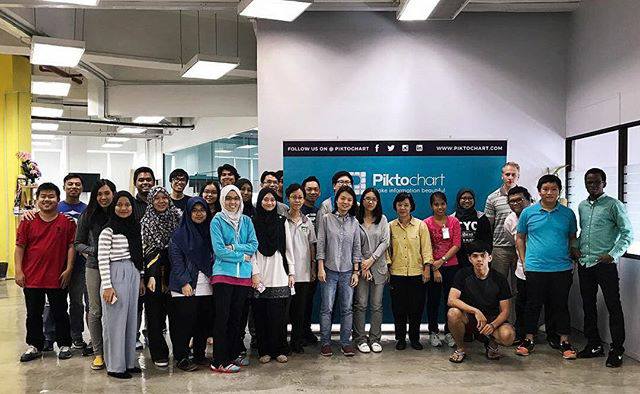
I was 13 years old at that time, and I remember signing up for a programming event organized by Piktochart. The event was an introductory, all-day course about Ruby on Rails. It was my first bootcamp, and I felt excited and nervous at the same time (considering I’ve been home schooled for about 4 years at that time, and it felt like a sudden leap to the outside world).

But what I didn’t know is that it would be attended by college students, and working adults.

Wait, what?!?

They made it sound in the ticket description that their targeted audiences are around my age (they used the words “boys and girls”)! They said without programming experiences! For beginners, like me! What am I supposed to do?

That’s what raced my mind as I reached the event place.

I should have read the ticket description carefully…

Rails Girls Part I: Setting Up the Environment

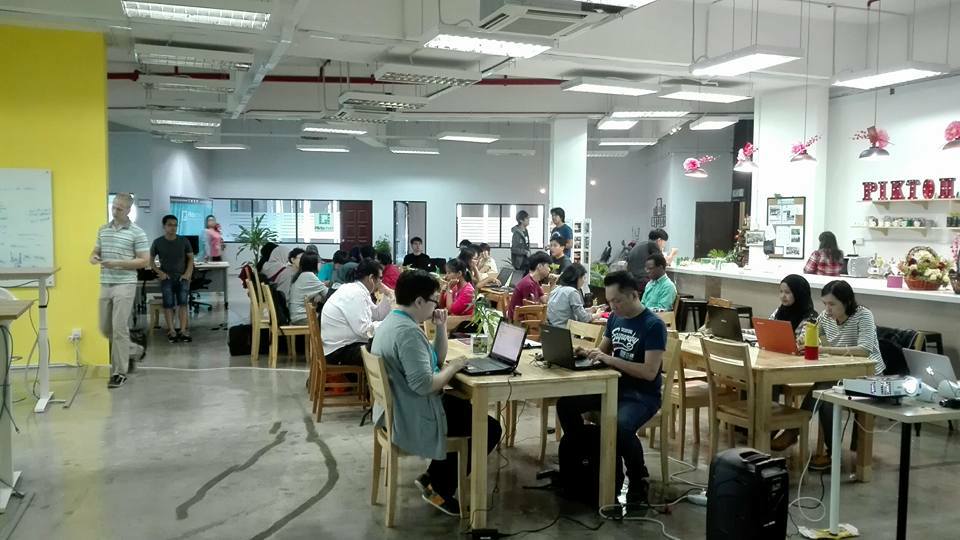
When all participants are already gathered at the event place, there was a little ice breaking session. I introduced myself to my teammates and vice versa. That’s where I met some acquaintances and friends. I remember their surprised looks when I told them how old I was. I remember how I was even more surprised when I heard where these people are working and studying. I felt very small.

We are then tasked to read the instructions that they provided for setting up Ruby on Rails on our local computers, and to create the basic format of the web app. The web app that we are doing is an idea listing app, where users get to list any ideas that they have, and they can write a description for it, a title, etc. It’s like a Sticky Note, but with a few added features.

It felt like my brain was going to explode just setting up the working environment on my local computer. I have many errors on my console, and I kept raising up my hands for questions. It wasn’t a good start for me.

By the time lunch was served, I felt brain drained, but still ready for round 2.

Rails Girls Part II: Styling the Web App and Wrapping Up

After lunch and a short break, we are then tasked to style the idea listing app and add further features into it using HTML, CSS, and Ruby on Rails. This part felt easier for me, as I already have some background on HTML and CSS. There are still instructions provided, but it’s up to you what features you’re going to add to it.

In my case, I added a log-in page for my web app as it is an idea listing app (no one wants their ideas getting stolen). I also added a feature to let users upload a thumbnail image for every idea that they listed. The process was much easier compared to the first part of the event, and much fun.

When the event was coming to an end, the instructor walks around the room, looking for projects to be presented in front. In the end, five projects were chosen.

One of them was mine.

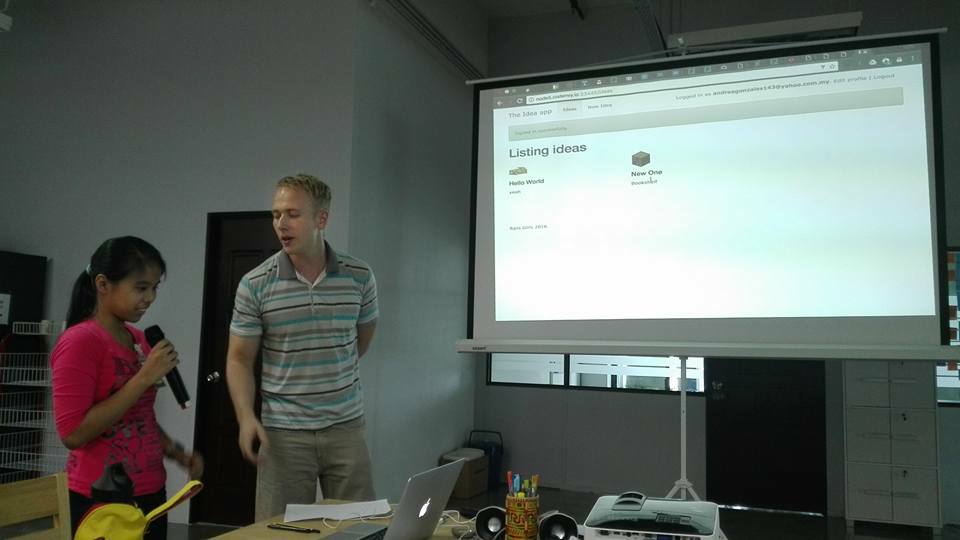
I remember walking in front of the whole place. I remember feeling nervous, as I would be speaking and presenting my project. I showed them the features I added, and told them how I achieved it. I guess I did a pretty good job in the end.

Photo by Mr. Jin ji

The event ended with few extra notes by the instructor and picture taking. It was a fun and challenging experience for me, and this event helped build my first steps towards programming, working and networking with fellow tech enthusiasts. I would like to thank Piktochart for organizing this event, and also the mentors, especially the Filipino mentor I met there. He was the one who called the instructor to check out my work to be considered as one of the presented projects, and he helped me get through the errors I encountered.

I’m very glad indeed that I’ve been a part of this.

Photo by Piktochart